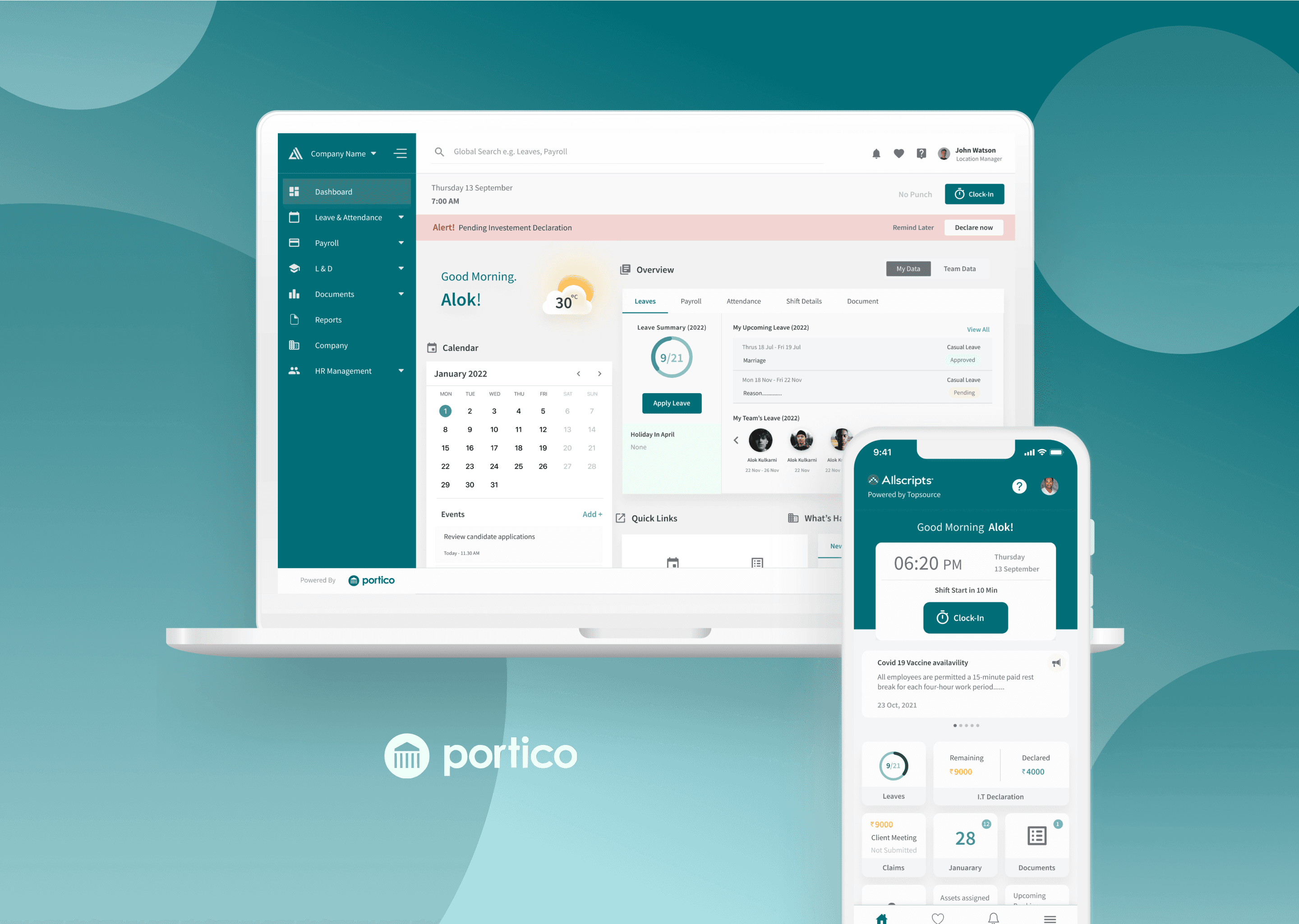
Portico
Human Resource and Payroll Management Suite
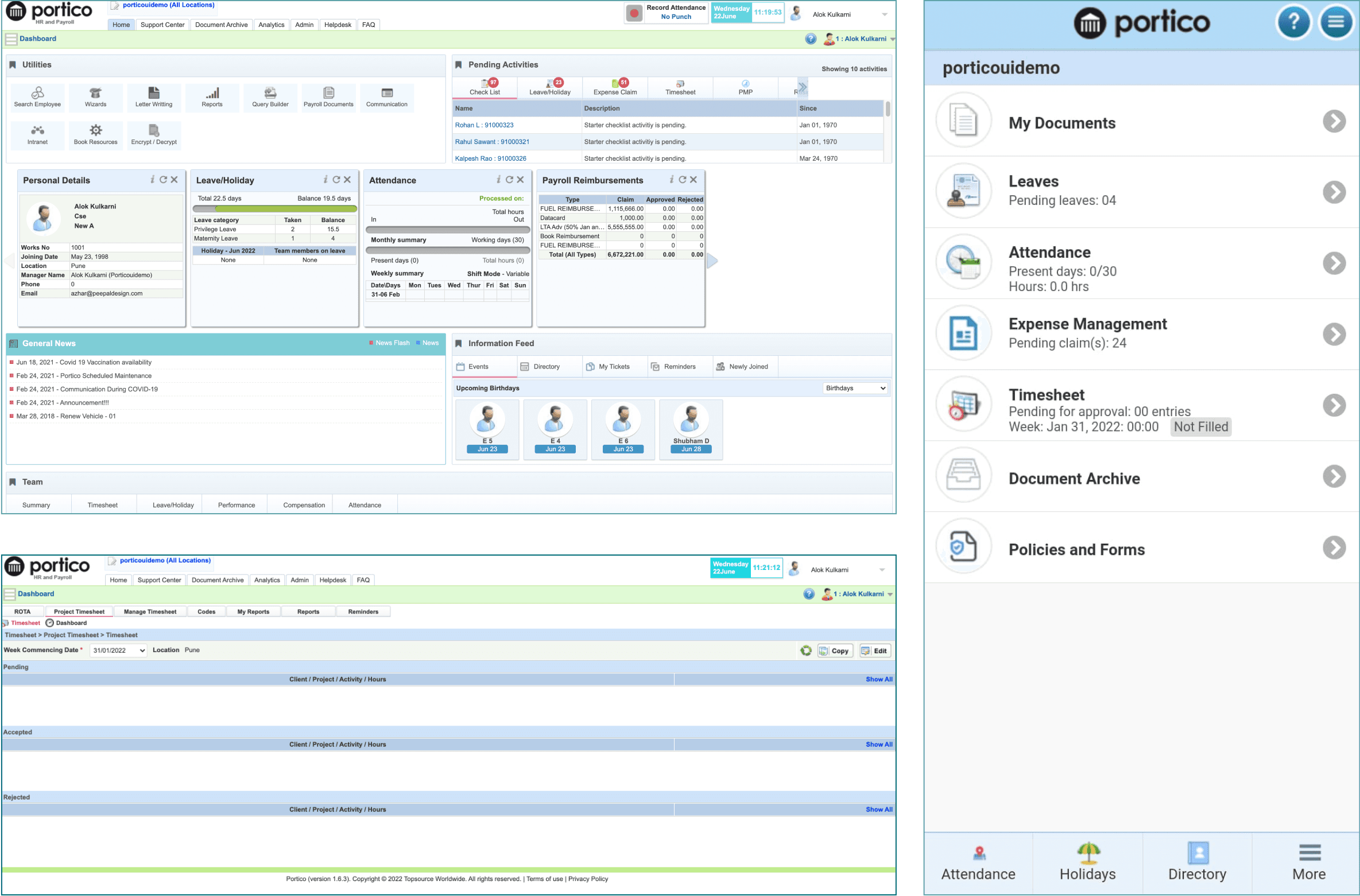
WEB App
Mobile App
Redesigning HRMS Portal
MY ROLE
As a UX Designer, I played a pivotal role in revamping the Portico HRMS portal, enhancing its usability and effectiveness for both web and mobile platforms.
Key responsibilities:
Conducted a comprehensive audit of the existing platform to identify usability issues and areas for improvement.
Conducted user research, competitive analysis, and usability testing to gather insights into user needs and preferences.
Defined personas to represent different user groups and their goals within the HRMS system.
Simplified the information architecture to improve navigation and reduce cognitive load.
Created wireframes and prototypes to visualize the redesigned interface and interactions.
Collaborated closely with developers to ensure that the design was accurately implemented and met quality standards.
Successfully revamped both the web and mobile applications, resulting in a more intuitive and efficient HRMS portal for Portico users.
TIMELINE
Oct 2021 - March 2022
PLATFORM
Web & Mobile App
TEAM
Project Leader (Portico) - Ashish Lohoti
UI Lead (Portico) - Somnath Jadhav
Product Manager (Peepal Design)- Siddhant Jha
UX Designer - Prashant Kumar
COLLABORATION WITH
Stakeholders
Product Managers
Developers
TOOLS
Figma - Design
Illustrations - Illustrator
Micro Interaction - After Effect + LottieFiles
Basecamp - Project Management
Executive Summary
The Existing Product
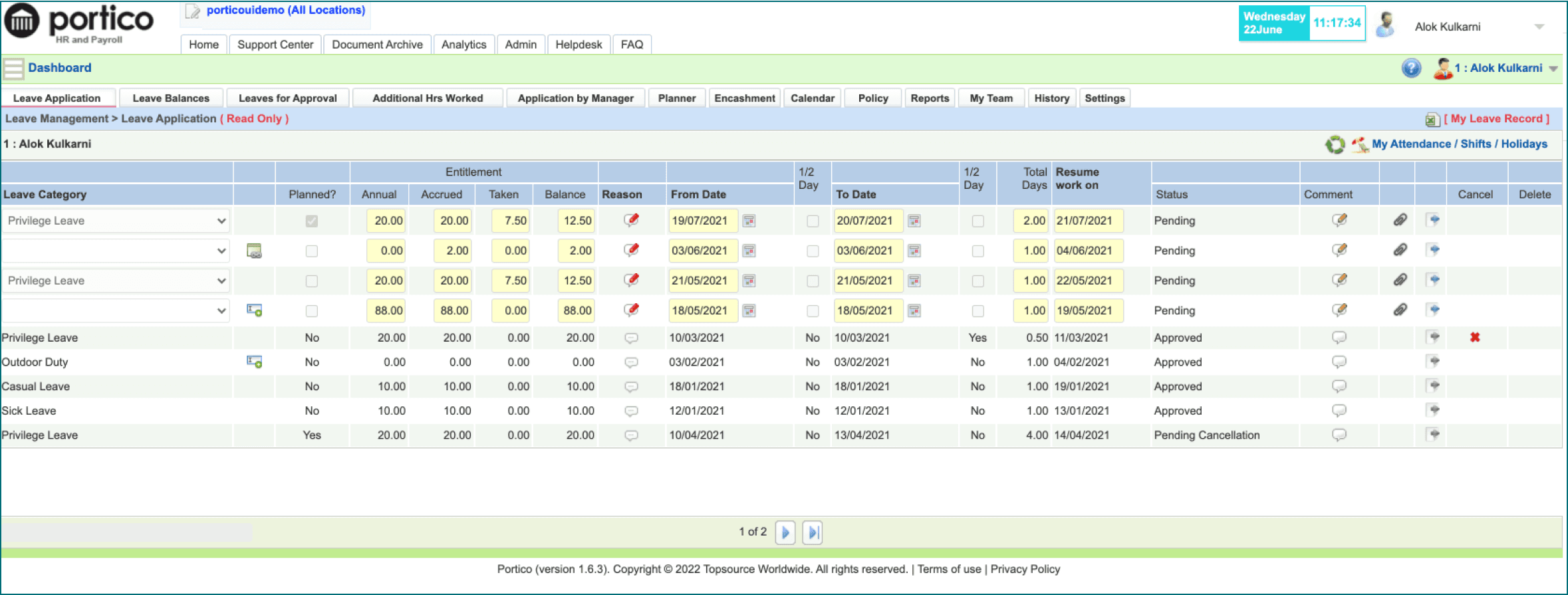
Portico is a secure, web-based, fully-hosted application suite customizable to the client requirements. The suite includes document archive, HR and payroll, expense management, recruitment, eLearning and payments processing. It has tiered user levels for employee access to their own data, manager's access to venue data and senior manager access to all company details.
Key challenges
Time to complete the key tasks to reduce significantly
The current design was build to digitize the manual process. Over a period of time the new features got added organically. The product functionality increased making it usable but less engaging and inefficient.
Key information and actions need to be upfront.
While the existing platform had all the needed functionalities and subsequent actions, they needed to be more intuitive and contextual for the user. In such an extensive and complex platform, guidance is a key to achieve efficiency. All relevant and key actions were brought upfront
Mobile first approach
Ability to act anytime from anywhere is critical in todays fast pace world. According to Bank by cell, 83,89% of the world owns a smartphone. The number is growing exponentially every year, which only adds up to the importance of user focused design for mobile phones.
Personalised dashboards for different Cohorts
The portal is accessed by different types of power users with different needs and goals. Instant gratification is important for the success of the application and the business. Each user has its own journey and
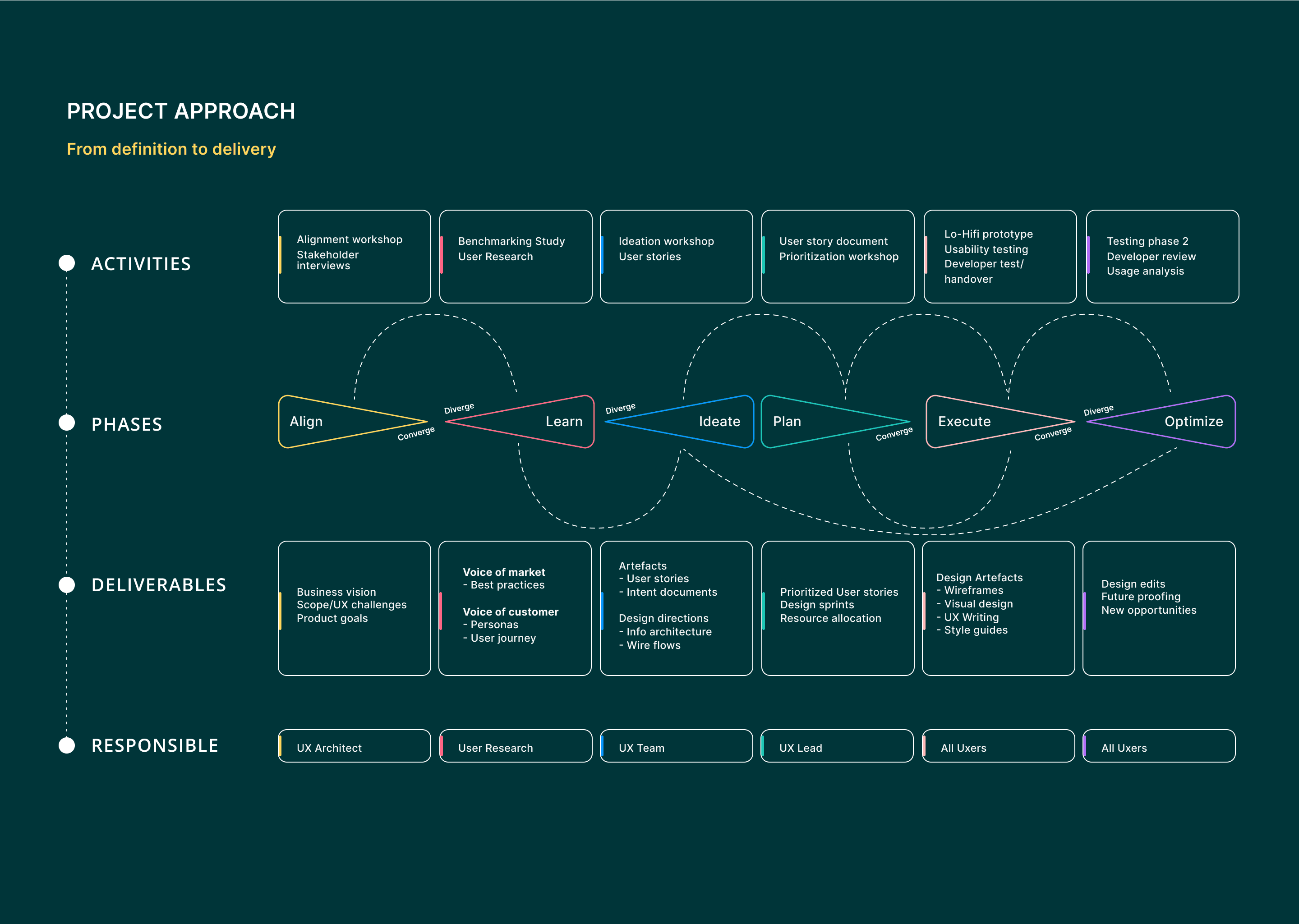
Project Approach
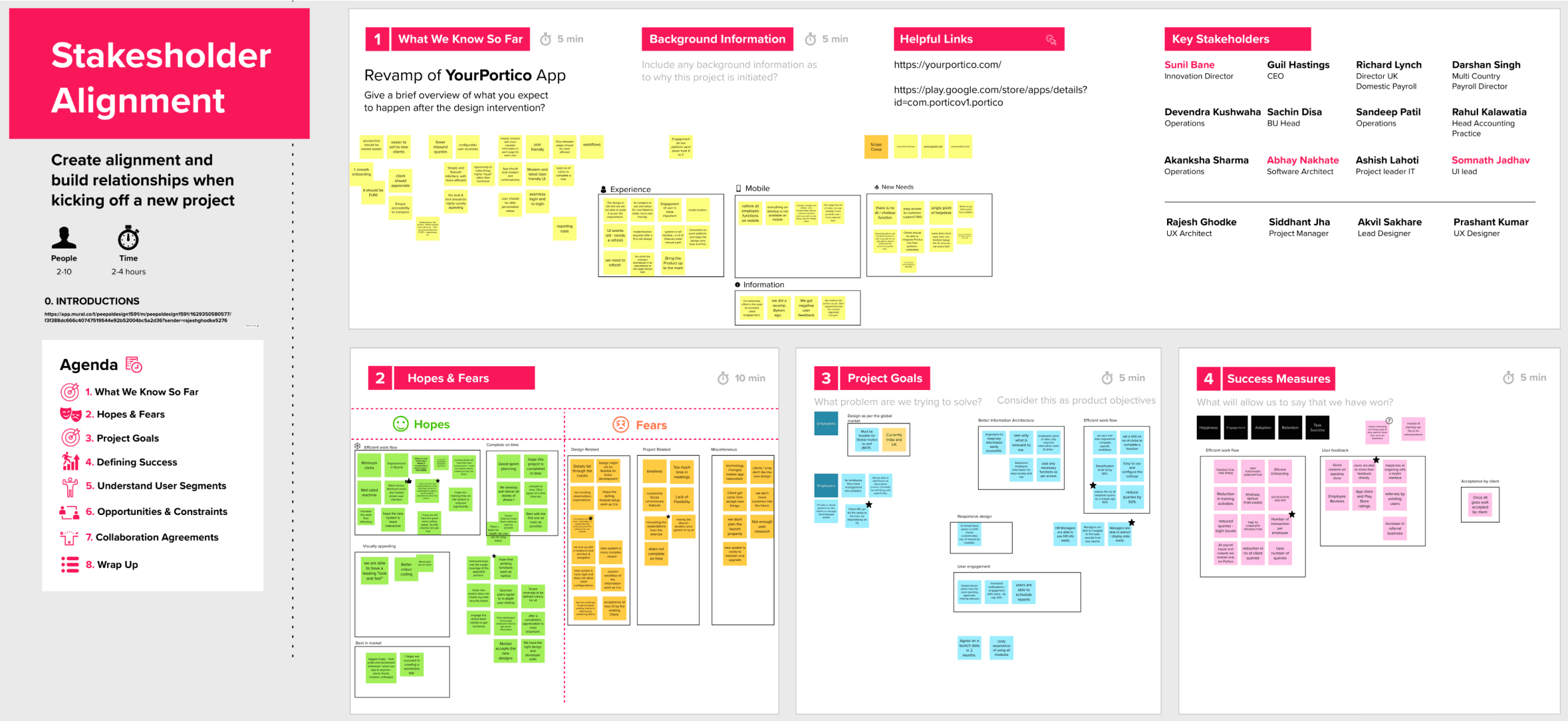
Stakeholder Alignment Workshop

Workshop Agenda
To achieve consensus between all the stakeholders.
Understand the business goals (long term and short term)
To gather all the existing knowledge about the company (customer reviews, perception about company, challenges)
Current and expected user segments
Understand aspirations, fears and hopes from the UX intervention
Any benchmarks or design inclinations, if any
In times of Covid-19, we used online collaboration tool - MURAL
Workshop Insights
Product Goals
Consistent experience across all modules.
Design should provide a robust platform to managers which can help them manage and analyze the data efficiently.
Revamped user experience should help to reduce the customer queries by 50%. (Related to completing task flows and experience)
Success Measures
Customer support queries get reduced.
Increase in referral business.
Increase in app store & play Store ratings.
Training time is reduced
Scope
Portico management has proposed a two phase approach, clearly stating the modules to be addressed in each phase. They also expect a mobile first approach.
Cognitive Walkthrough of Portico

Expert Review
The purpose of this document is to highlight existing PORTICO MOBILE APP usability issues and suggest improvements of the app functionality from a usability standpoint to improve the effectiveness and efficiency of the system.
These specific areas were explored:
Content
Interaction
Navigation
Presentation
Mobile App
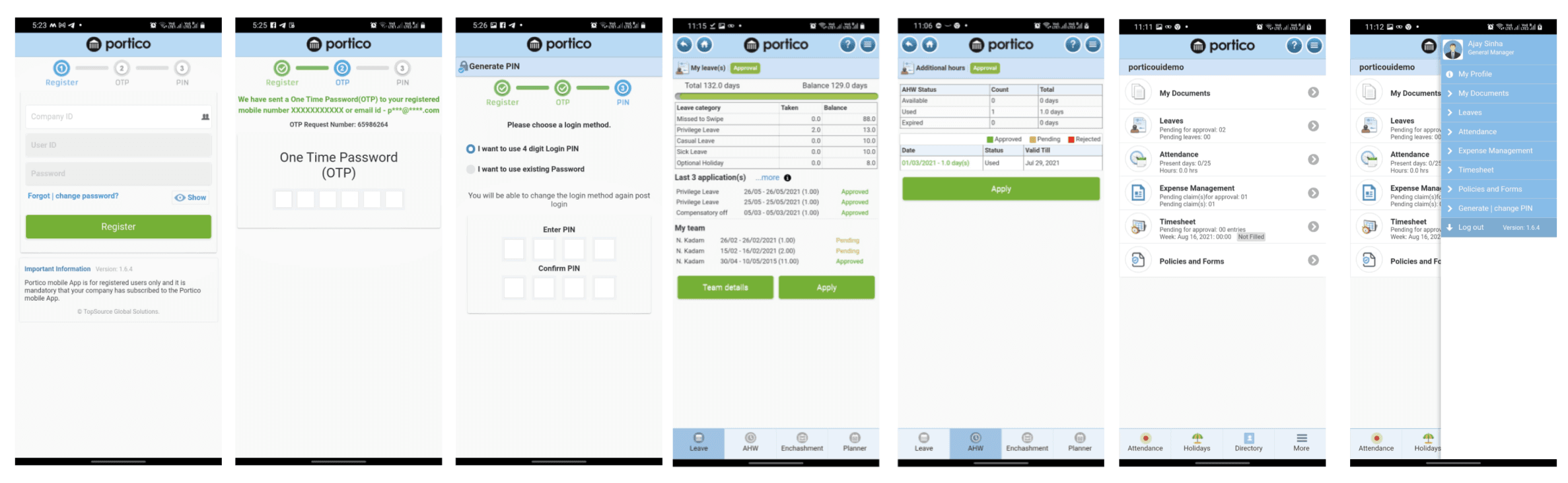
Finding
Provide better structure to
information architecture and app flow.
Use known interation patterns fitting the mental model of users.
Content sanitization is required accross the design system. Bringing in consistency.
New look and feel based on fresh design styles is required.
Inconsistent design – all screens look different, throwing users off.
The Overall design (look and feel) lacks of contrast and a fresh color pallette.
Information architecture can be placed well.
Accessibility issues – font styles are not impactful enough, Distribution of weightages throughout the design are not very clear.
Effective navigational tools like tabs, hover tooltips, in app guides are missing making it difficult to use the app with ease.
Hand Holding is missing.
Lack of contrast between the foreground and the background, Low readability.
Loader on every action which makes it very unpleasant for the user.
Use of inconsistent and complex icons. Icons can be simplified.
No search bar option.
Number of clicks can be reduce to complete a task.
Navigation can be improved with better IA.
Entire look and feel looks very dull and outdated.
Visual weight to compare button priority, primary or secondary.
Use of infographics to present the information in a better way.
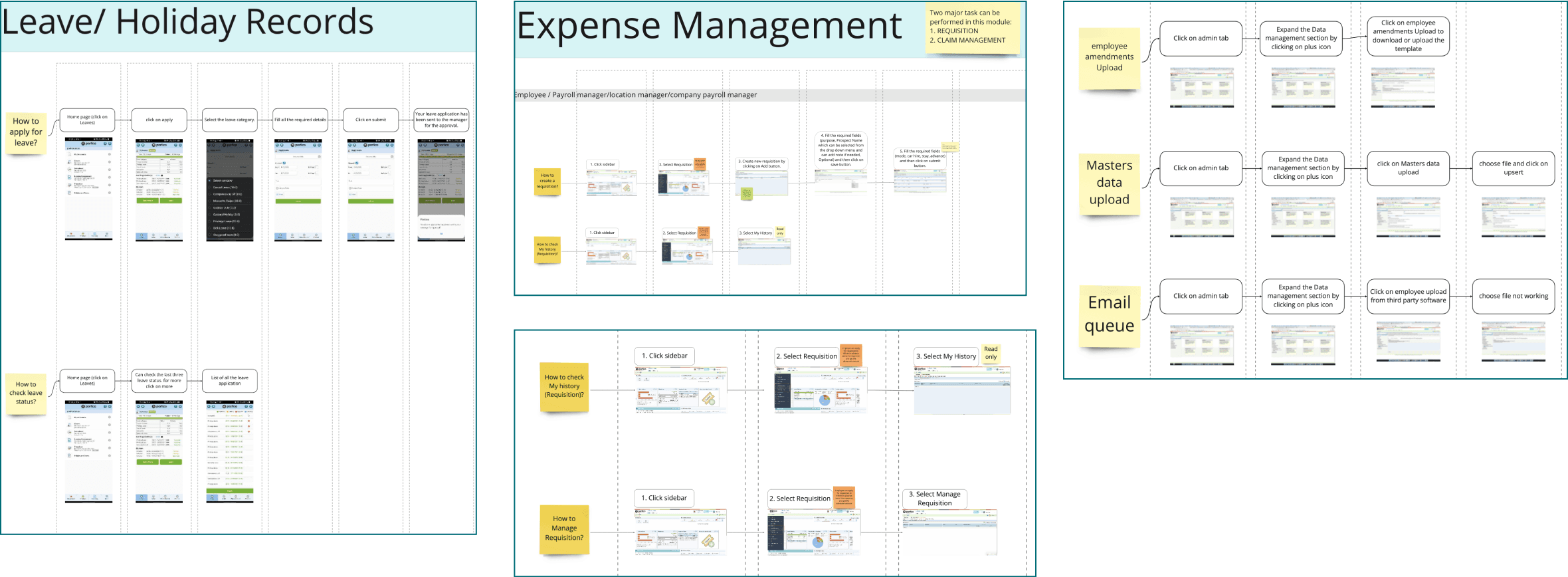
Mapping Existing Flows
Goal
To understand the work flows and what all features available in the app, and how it functions.
Why does it matter?
It helped us to understand what a user does to finish a task or complete a goal through the portico app. This also helped us to reveal how many steps they chose to complete a task.
User Segments
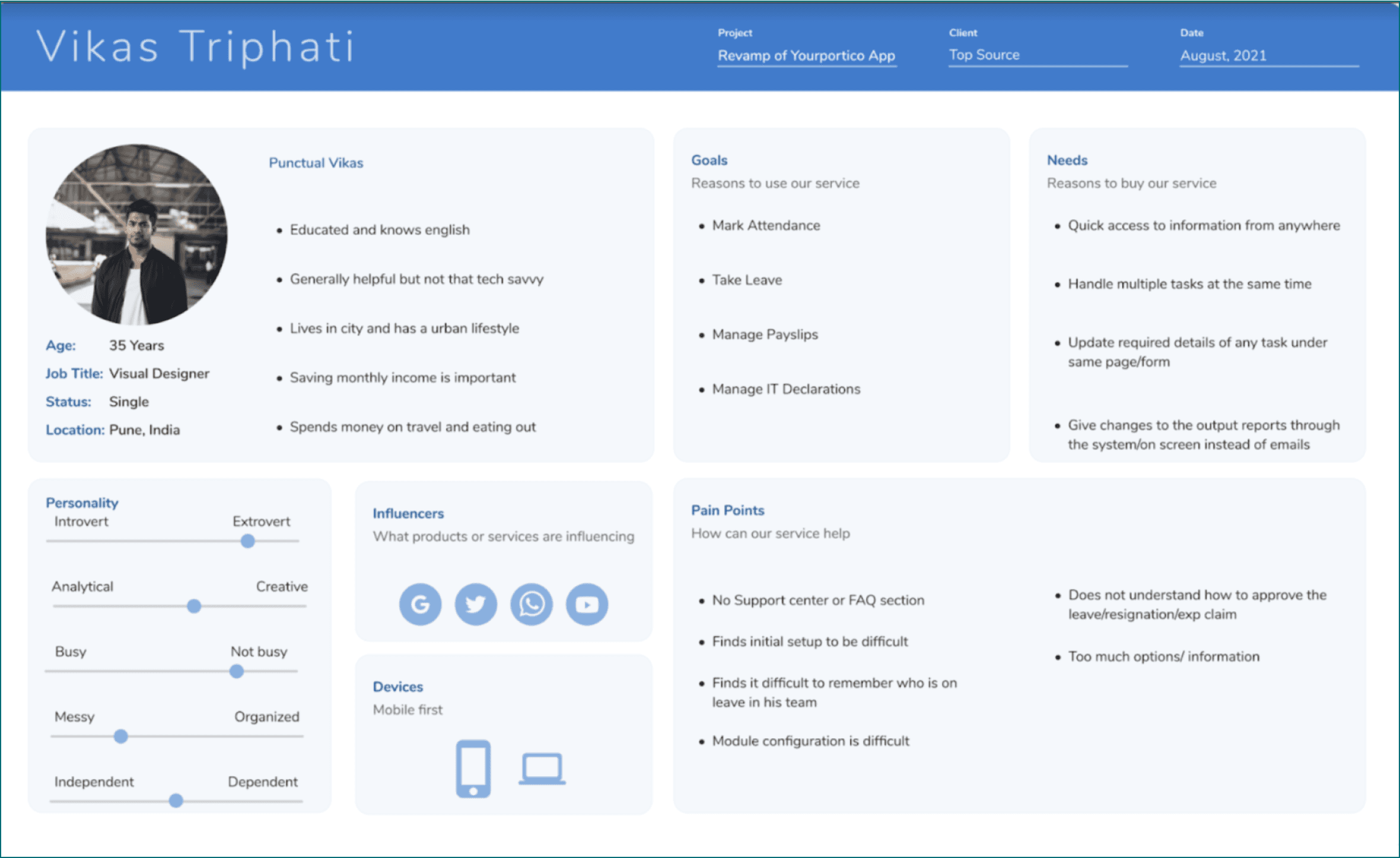
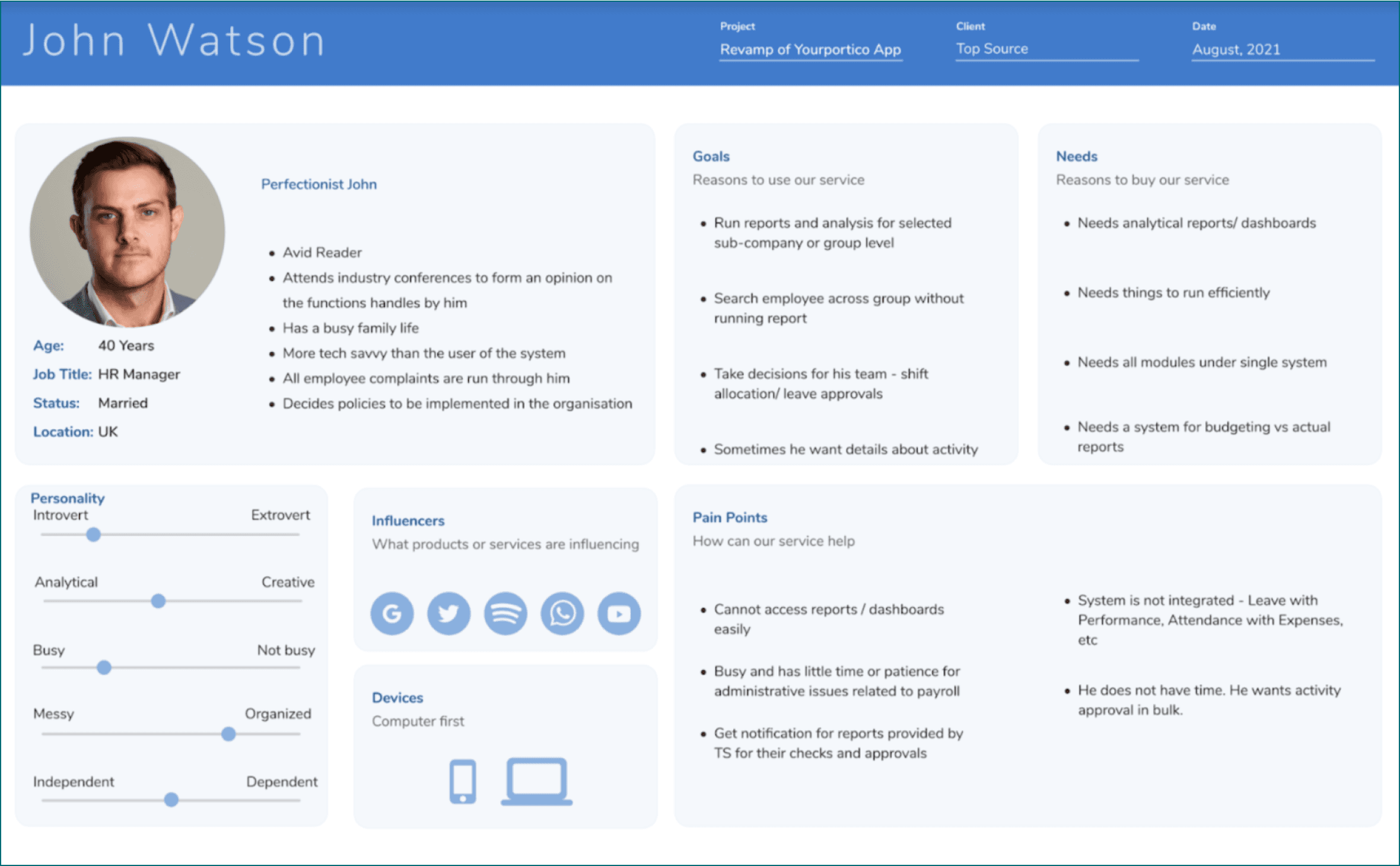
Creation of Proto-Persona
Once the workshop was over we collected and organized Post-It notes to create the proto-persona cards. These cards contain the tidbits of information ie. Name, Demographic information, Biography (based on wants, needs, etc.), Intervention scope.
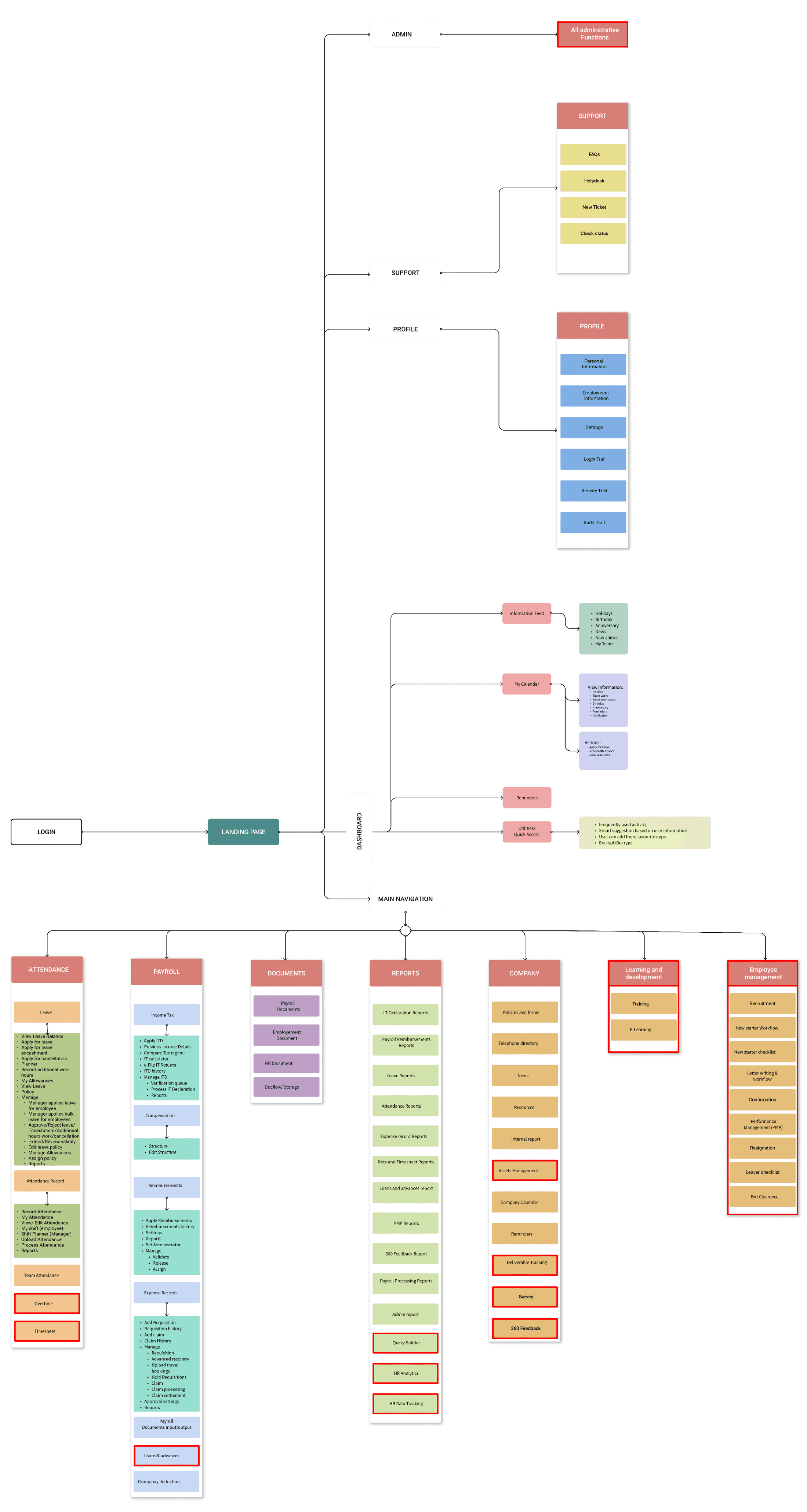
Information Architecture
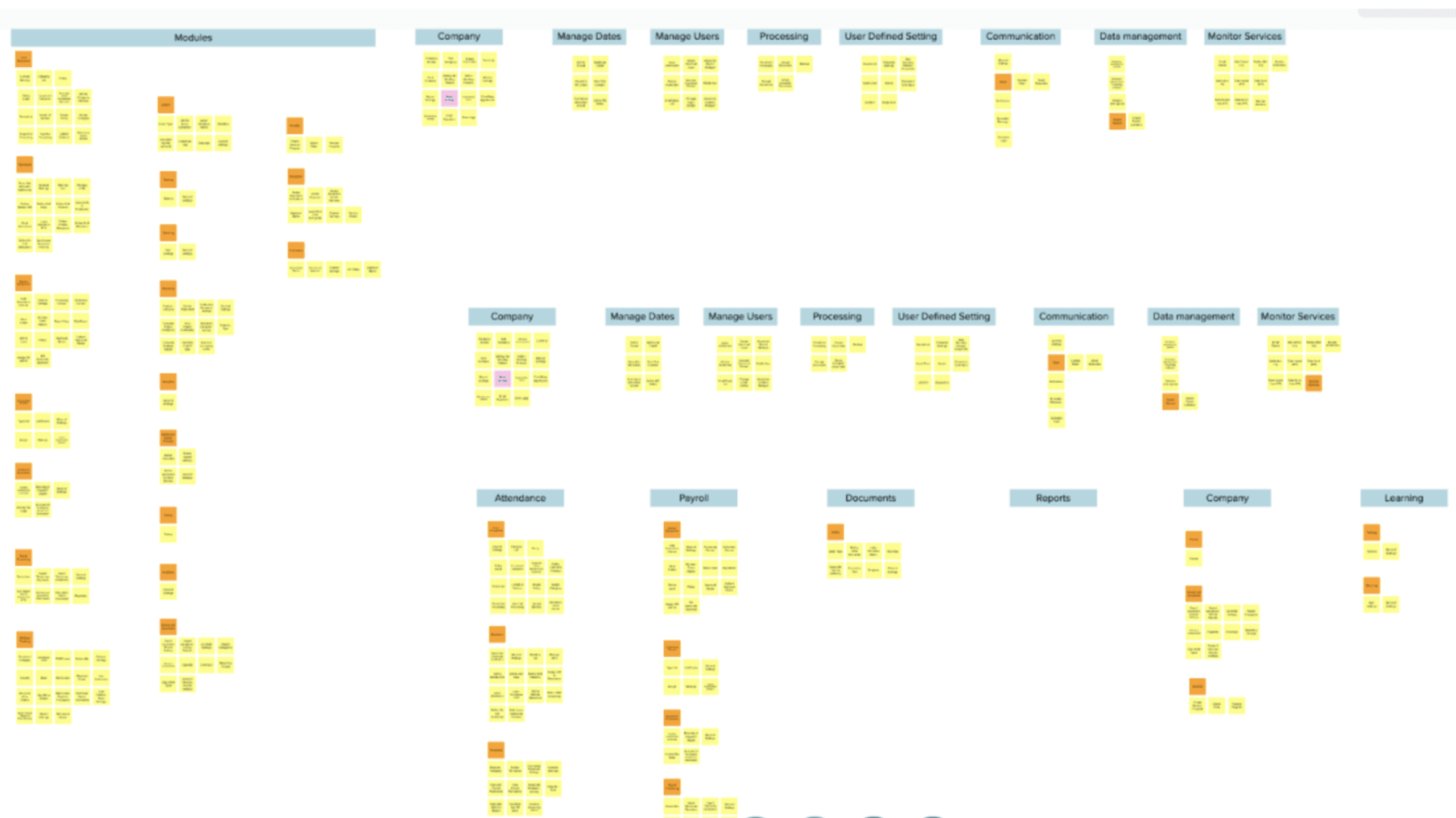
Card Sorting
It helps us to focus on organizing, structuring, and labeling content in an effective way.
Information Architecture
It is designed to organize and categorize information in order to improve usability, findability, and enhance the overall user experience within the system.
Ideation
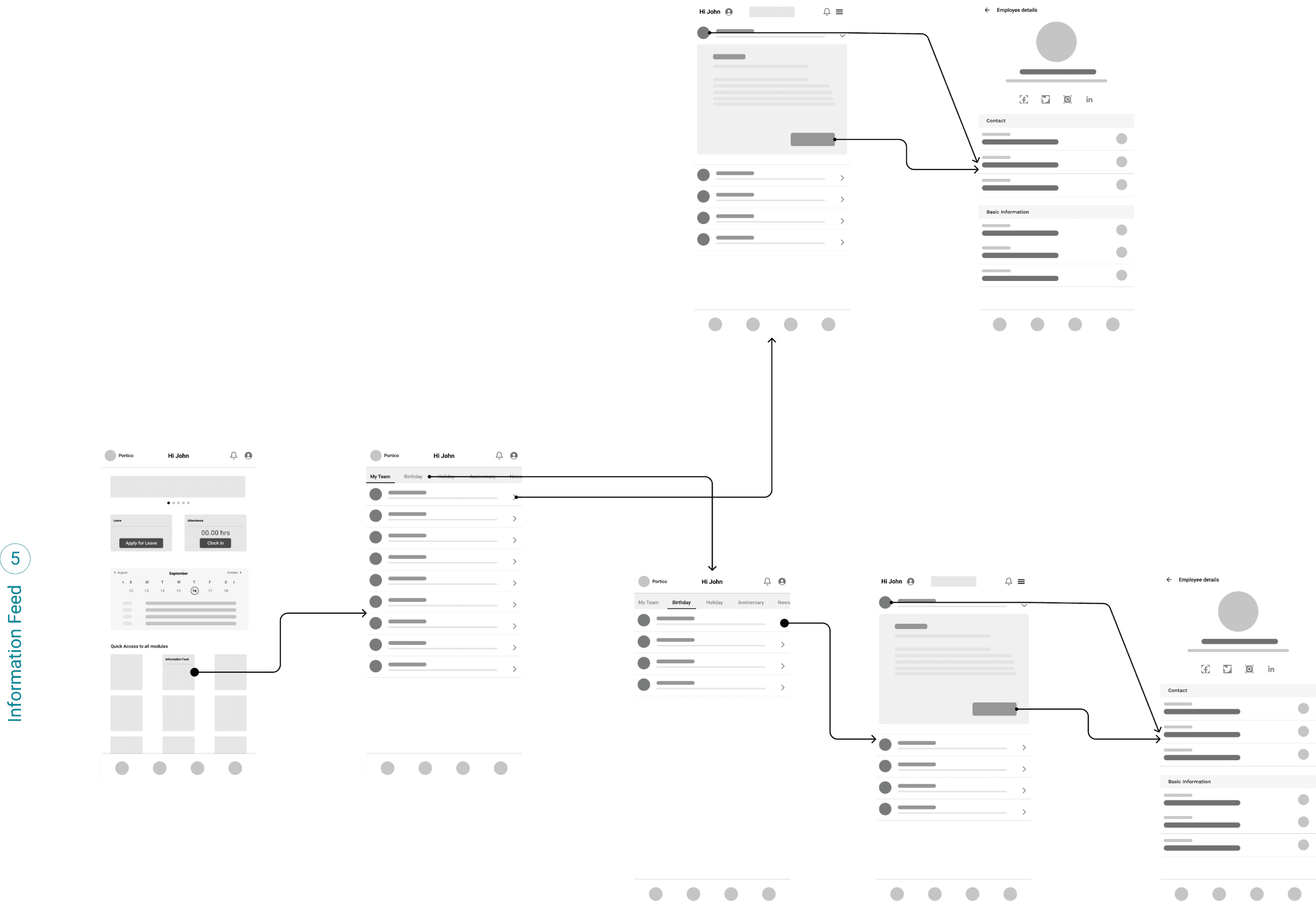
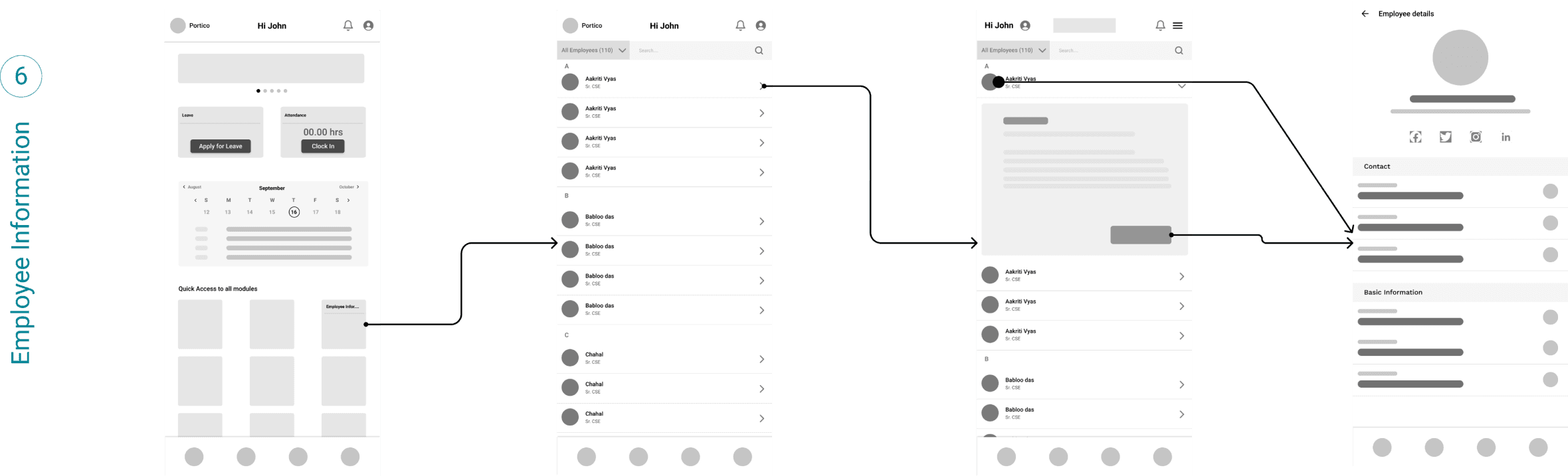
Wireflows
Wireframes were created to provide stakeholders with a foundational structure of the design and gather feedback before progressing to the visual design phase.
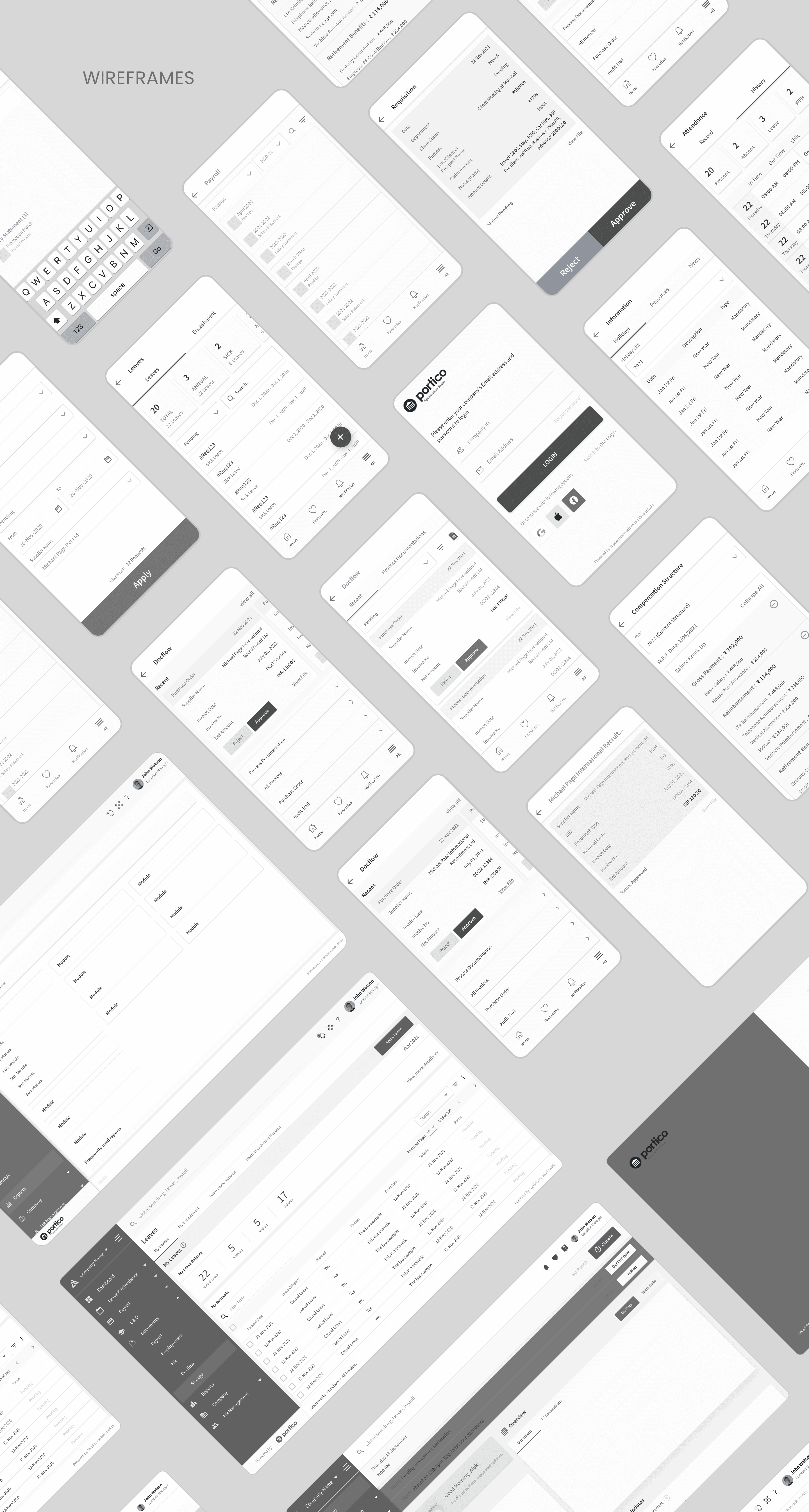
Wireframes
Wireframes were created to provide stakeholders with a foundational structure of the design and gather feedback before progressing to the visual design phase.
Design System
Design Language
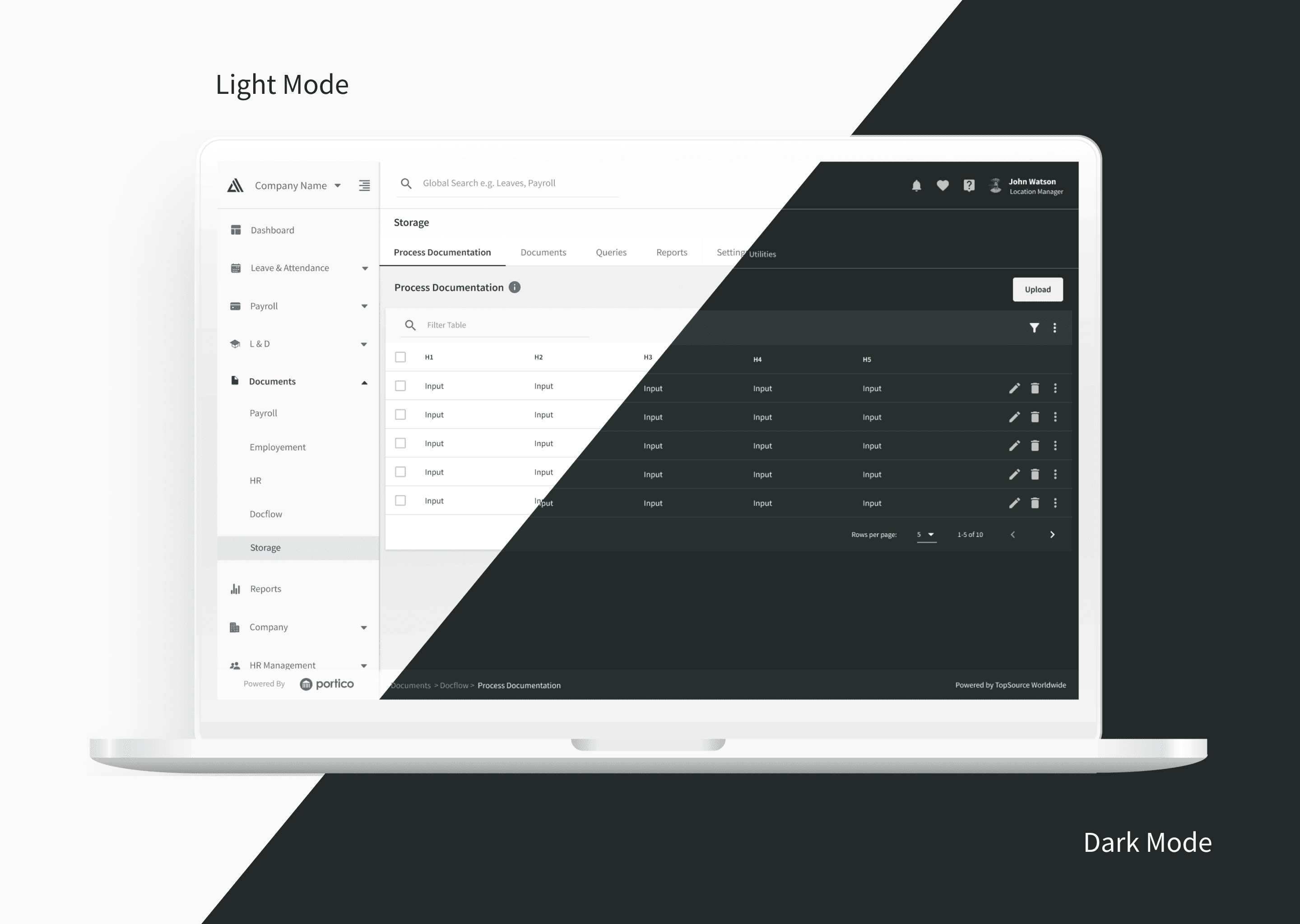
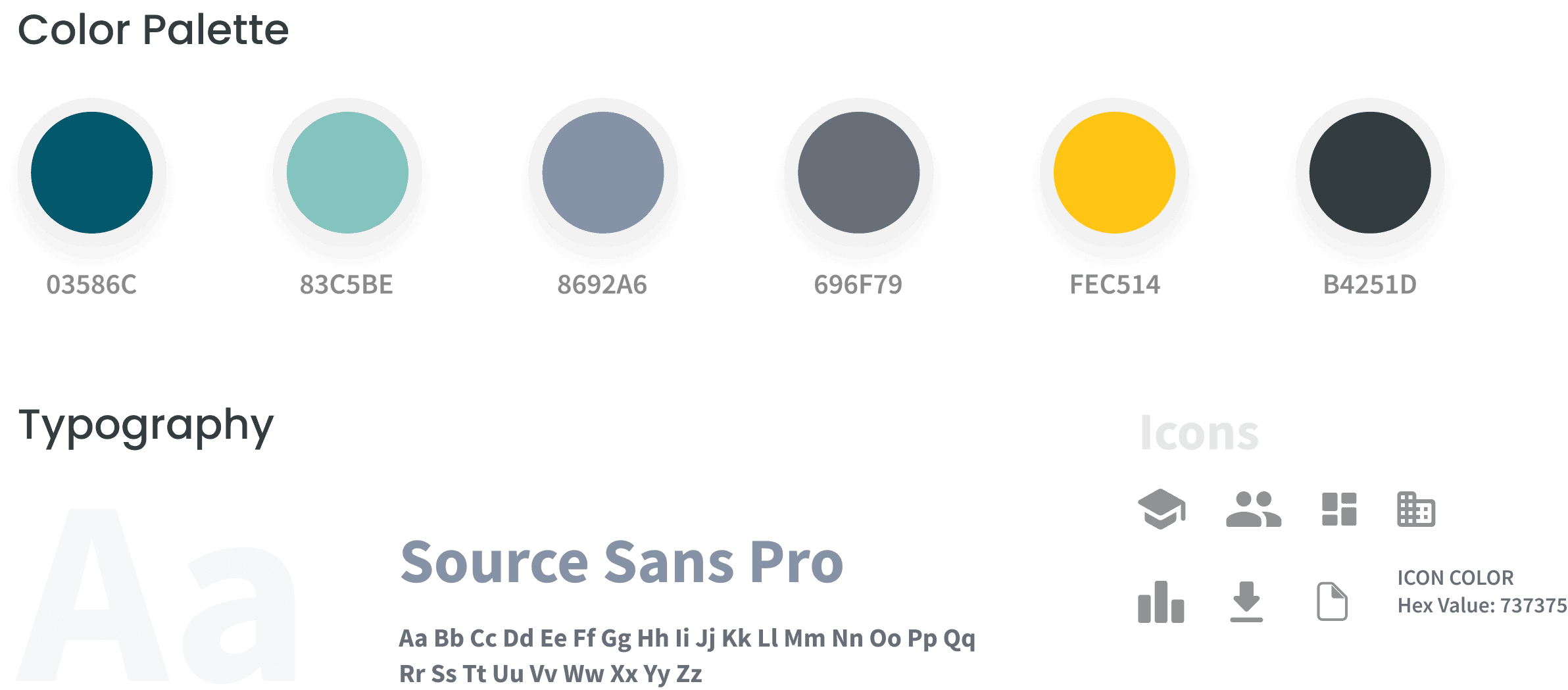
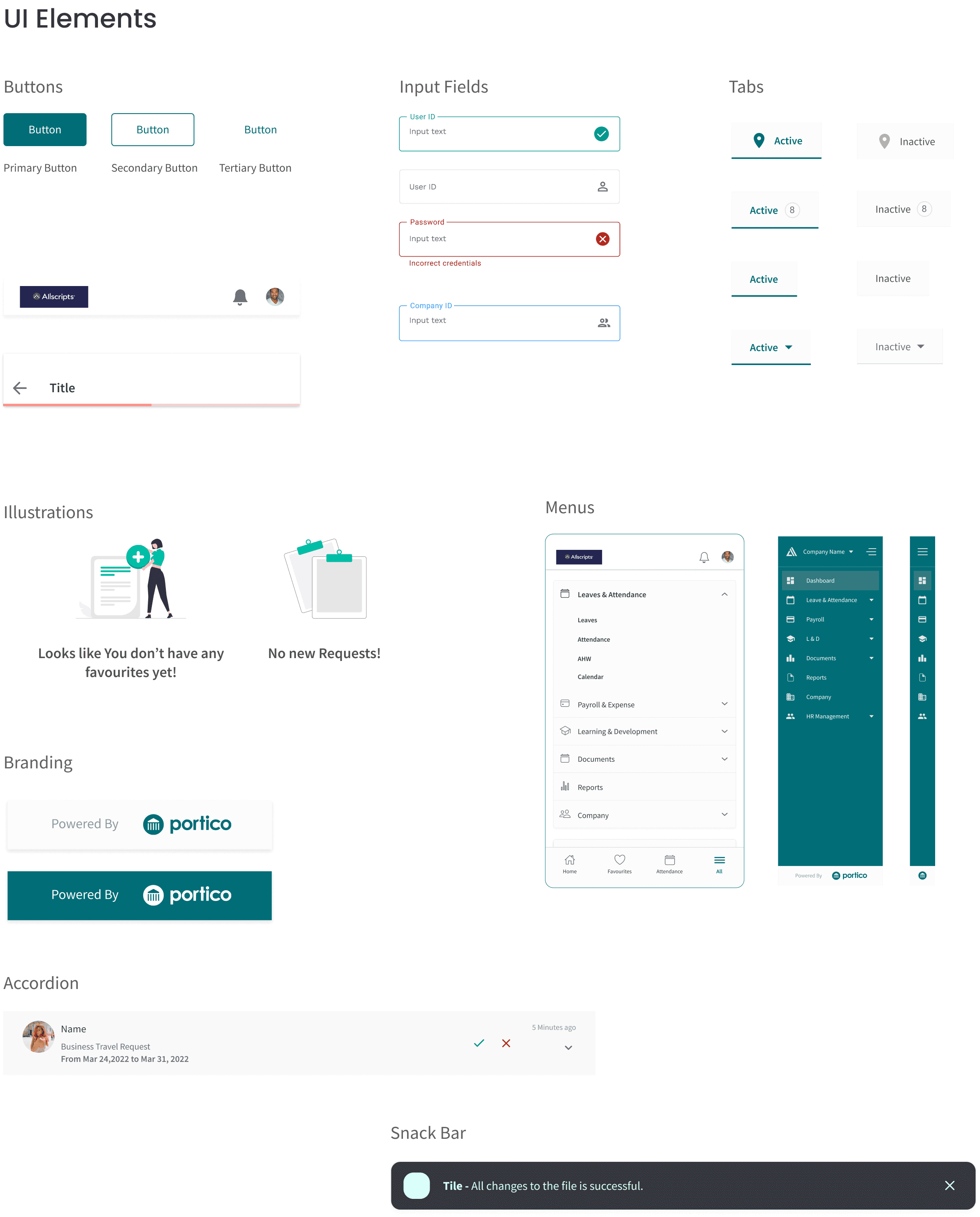
A clear and intuitive visual approach for effortless app navigation. Colourful pastel palette, with simplicity and accessibility in mind.
Key Screens
Outcome
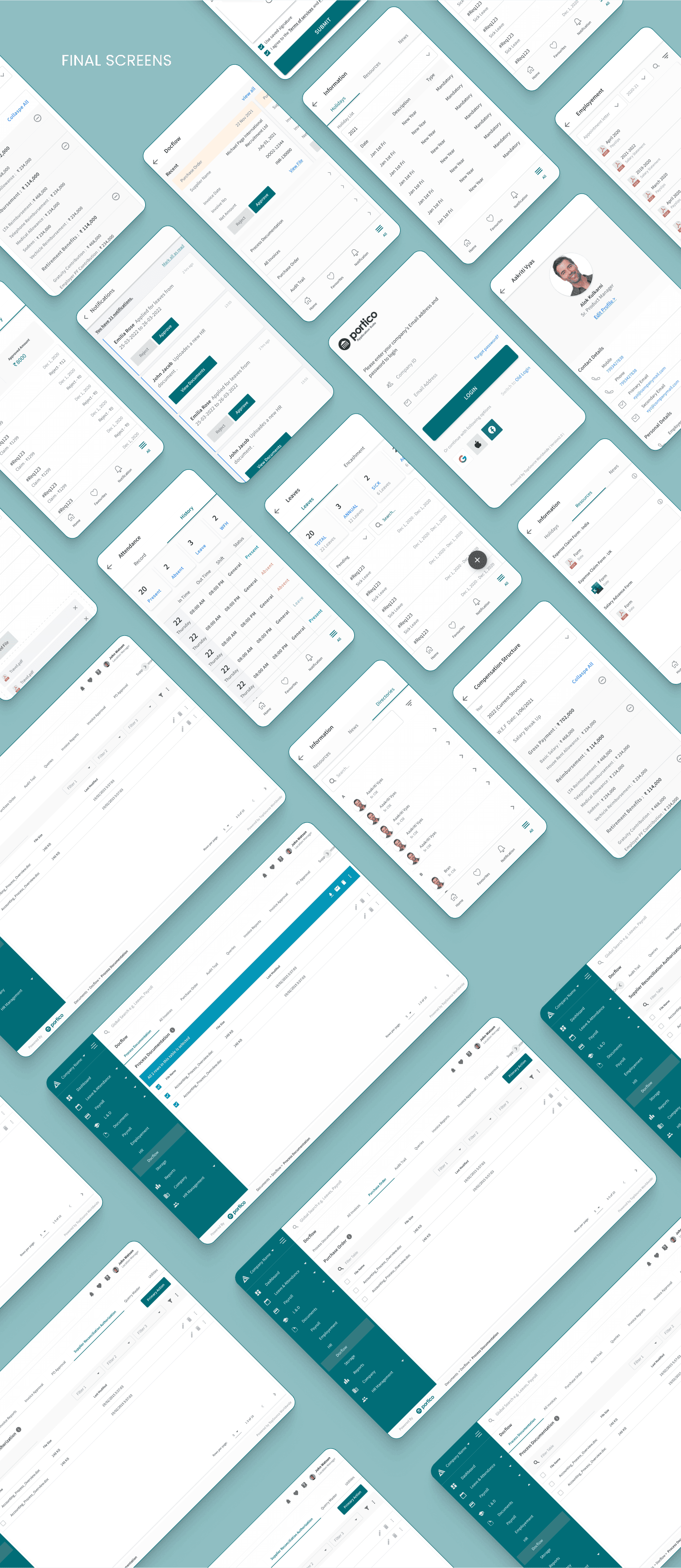
A high-fidelity prototype was developed for each flow, incorporating the brand color palette and considering usability factors. This prototype provides a convenient way for users to learn and engage with the product.