MY ROLE
As a UX Designer, I was responsible for creating the user interface for the enote application, ensuring a seamless and intuitive user experience across both black and white and color tablet devices.
Key responsibilities:
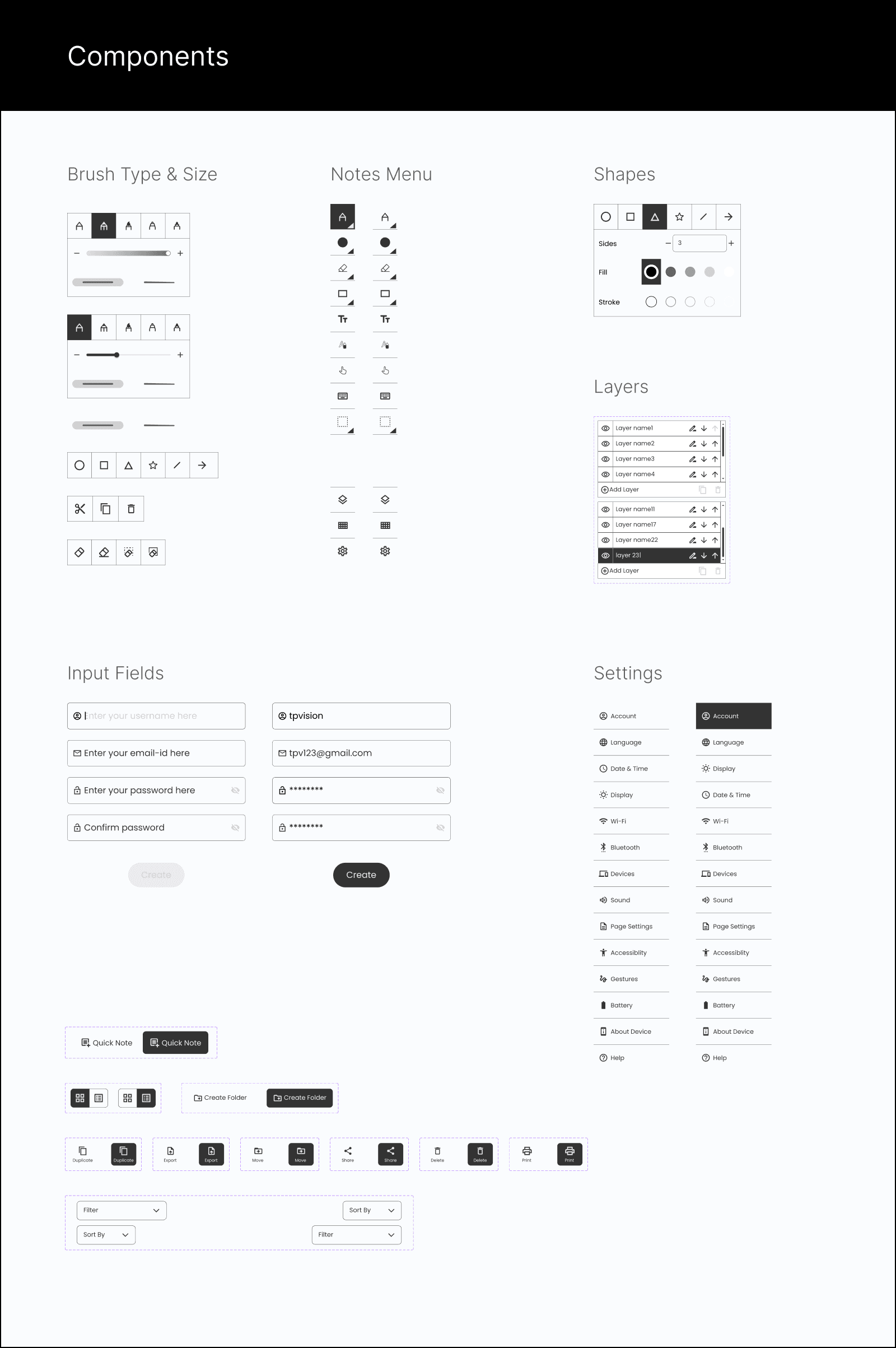
Designed and developed the complete UI components, including brush types, drawing elements, and other essential features.
Collaborated closely with the TP Vision team to ensure that the application met the requirements outlined in the Product Requirement Document (PRD).
Regularly interacted with developers to facilitate a smooth handoff of design specifications.
Created detailed prototypes to effectively communicate the intended interactions and functionality to both developers and stakeholders.
Optimized the UI for both black and white and color tablets, ensuring a consistent and enjoyable user experience across different devices.
TIMELINE
July 2022 - Oct 2022
PLATFORM
Application for Tablet
TEAM
Product Manager (TP Vision) - Rahul Sharma
Product Manager (Peepal Design)- Siddhant Jha
UX Designer - Prashnat Kumar
COLLABORATION WITH
Stakeholders
Product Managers
Developers
TOOLS
Figma - Design
Illustrations - Illustrator
Micro Interaction - After Effect + LottieFiles
Product Roadmap - Basecamp

TP Vision, a leader in bringing innovative entertainment solutions to life, envisions a future where the convenience of digital note-taking seamlessly blends with the natural experience of pen-on-paper. This innovative application by TP Vision bridges the gap between traditional note-taking methods and the efficiency of digital tools, empowering users to capture and manage information in a way that best suits their needs.
Challenge
Creating the visual design and prototype for a Digital Notebook Application.
Designing the visuals and experience of the application to replicate the look and feel of paper as closely as possible. This application will be utilised for reading documents and textbooks, as well as for sketching and note-taking. Our aim is to provide users with a seamless and immersive paper-like writing experience.
Project Insights
Effortless Conversion
Transform handwritten notes into editable digital text, eliminating the need for manual retyping.
Direct PDF Annotation
Take notes directly on existing PDF documents, streamlining the review and analysis process.
Enhanced Reading and Review
Capture handwritten notes alongside digital documents, creating a hybrid workspace for comprehensive review.
Paper-Like Experience
Enjoy a familiar and comfortable writing experience that replicates the feel of pen and paper on a digital canvas.
Competition Landscape
Remarkable 2
We did physical analysis of remarkable device
Smooth Writting
Easy to Calibrate
Supports 33 Languages
Complicated Flow
Lesser Memory
Boox Nova 3
We did virtual analysis of Boox Nova 3 device
Smooth Writting
Easy to Calibrate
Slow Refresh rate
Complicated flow
Lesser Memory
Ideation
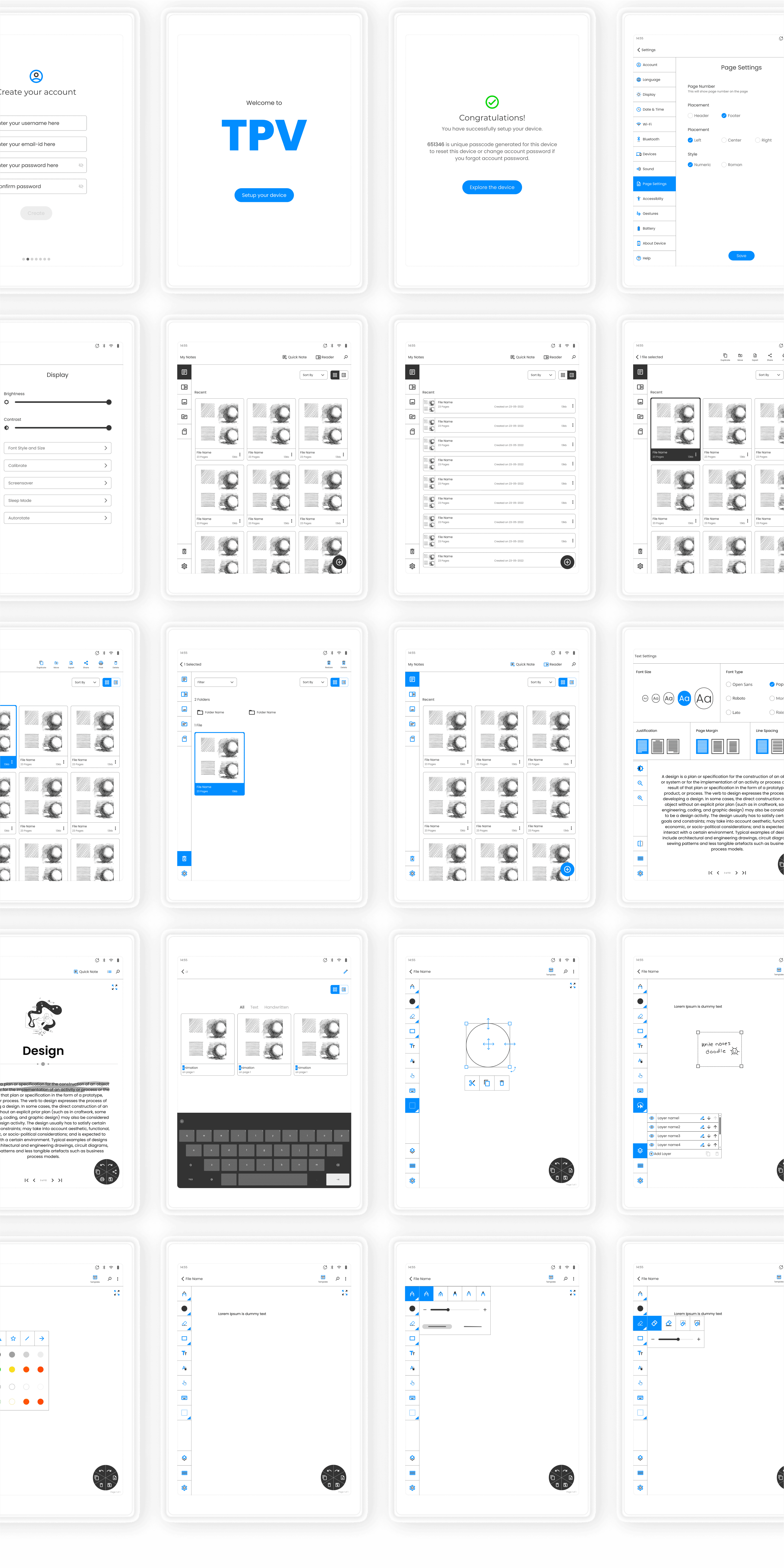
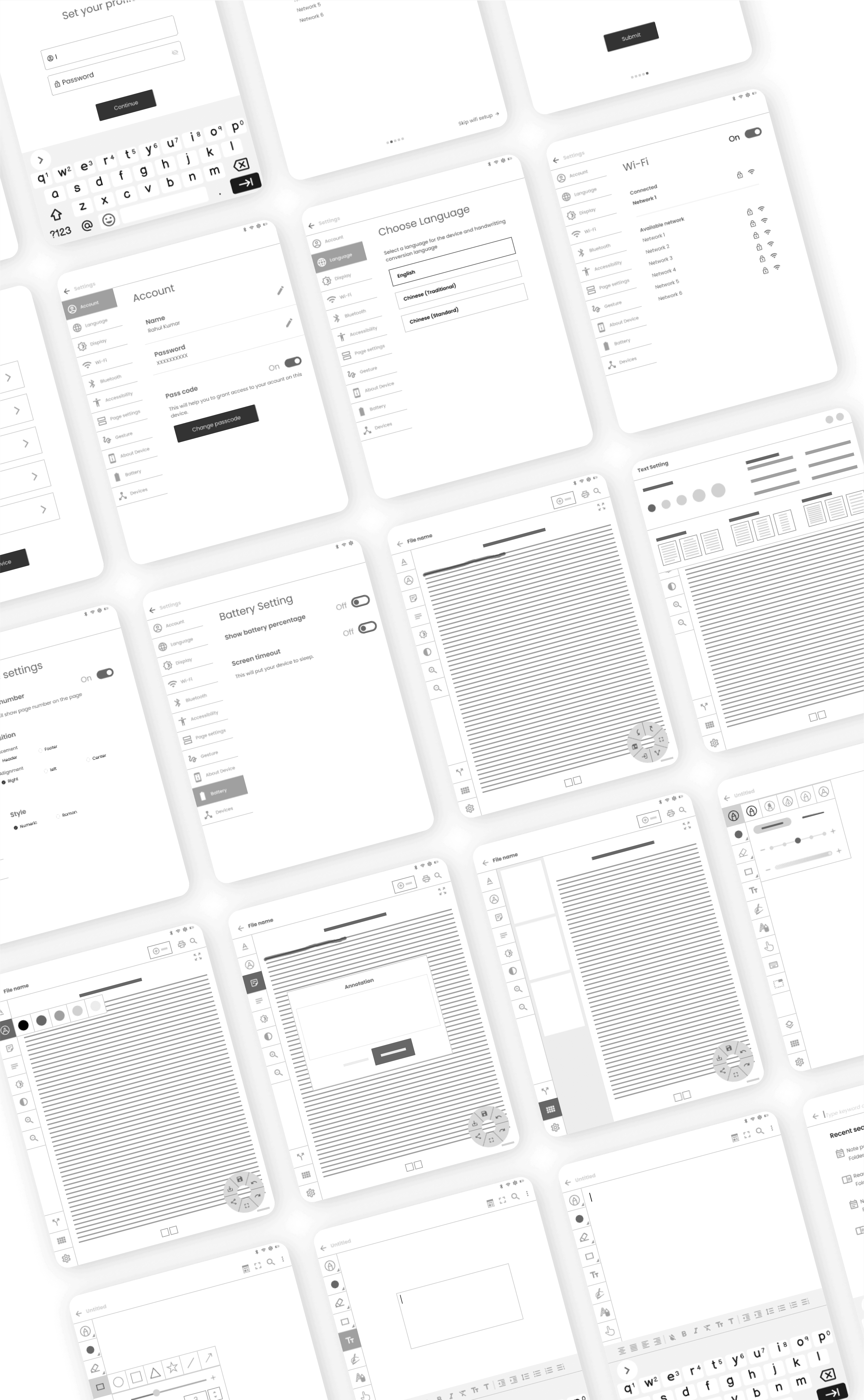
Lo-Fi Wireframes
Low-fidelity wireframes were created to provide a basic visual representation of the app’s layout and functionality, focusing on structure and content placement rather than detailed design elements..
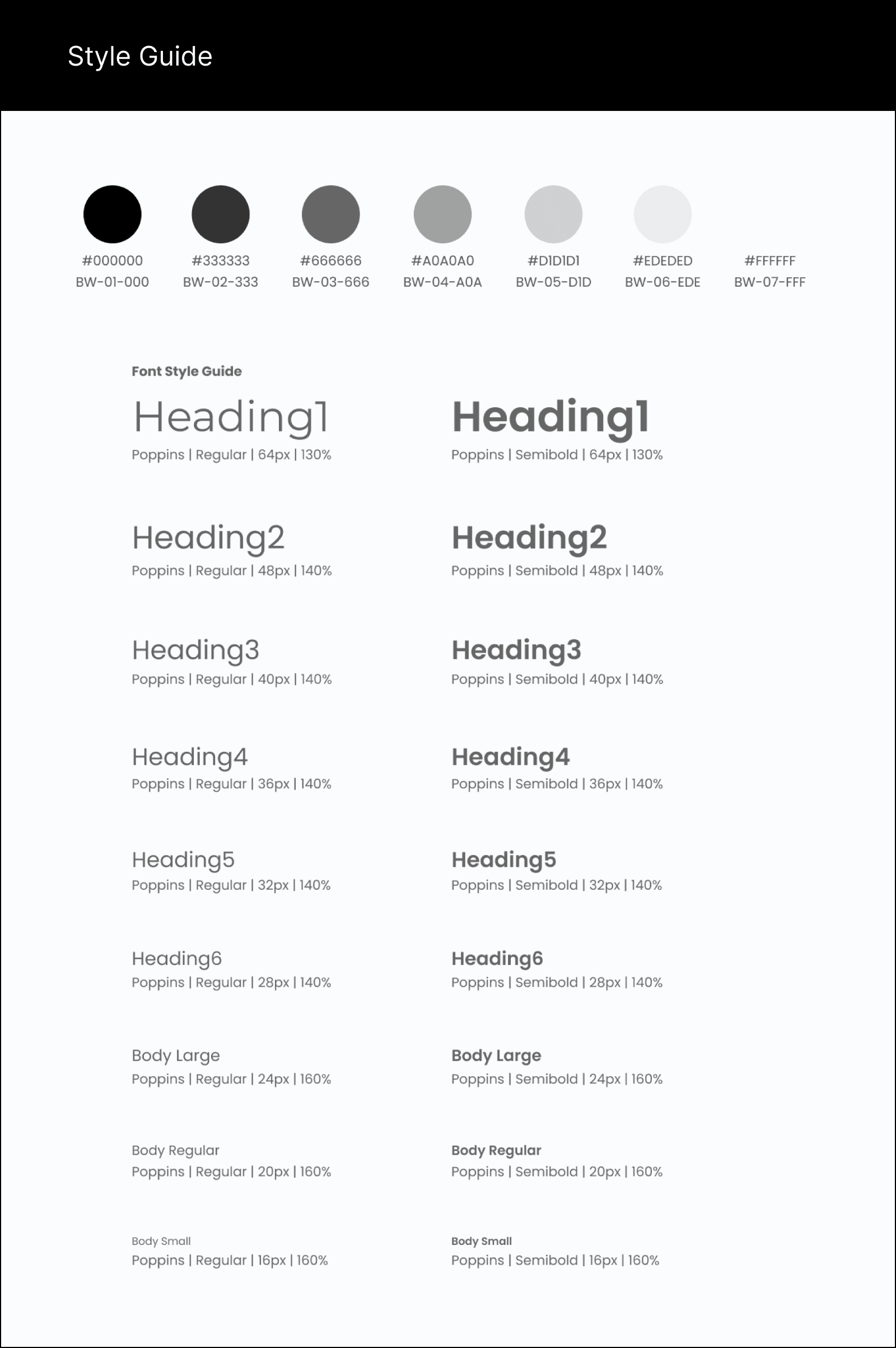
Design System
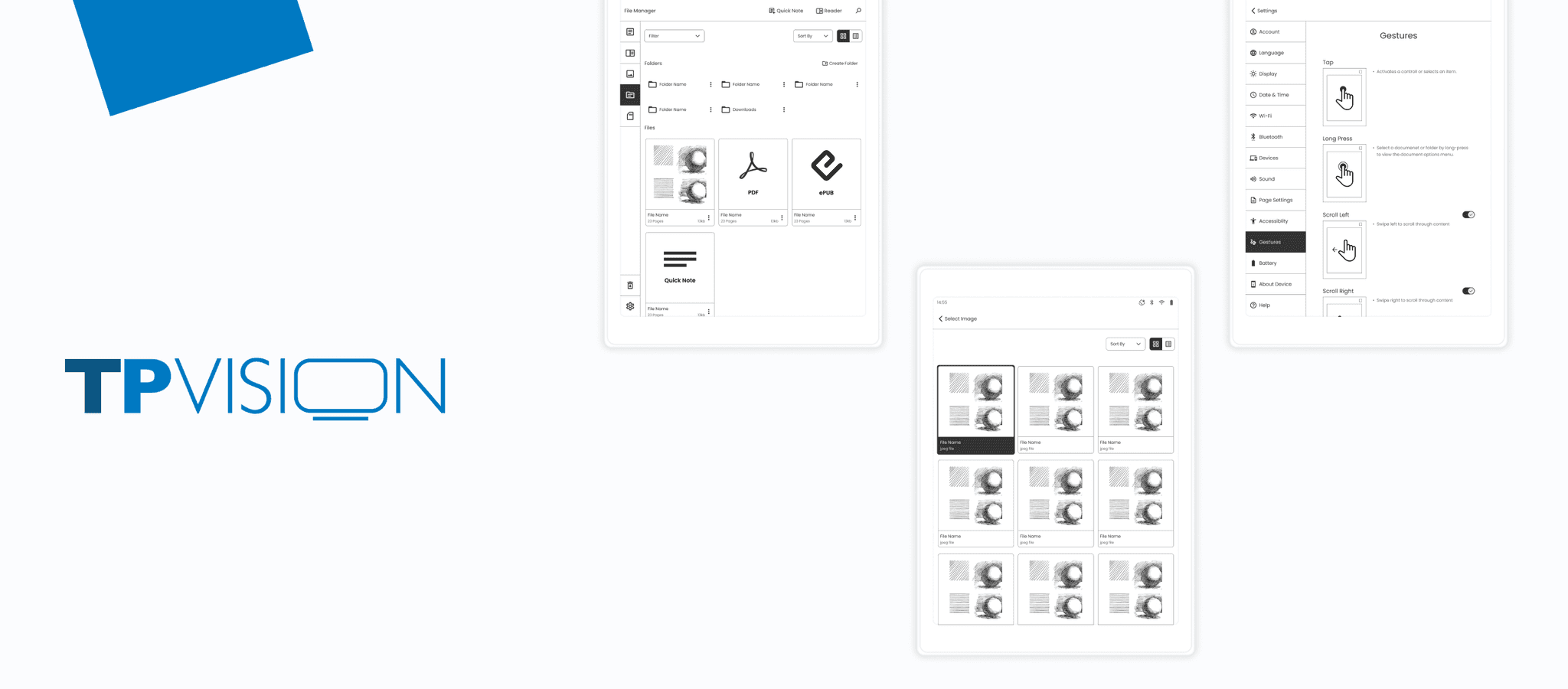
Key Screens
Hi-Fi Mockups
High-fidelity mockups were created to present a detailed and visually polished representation of the app’s interface.
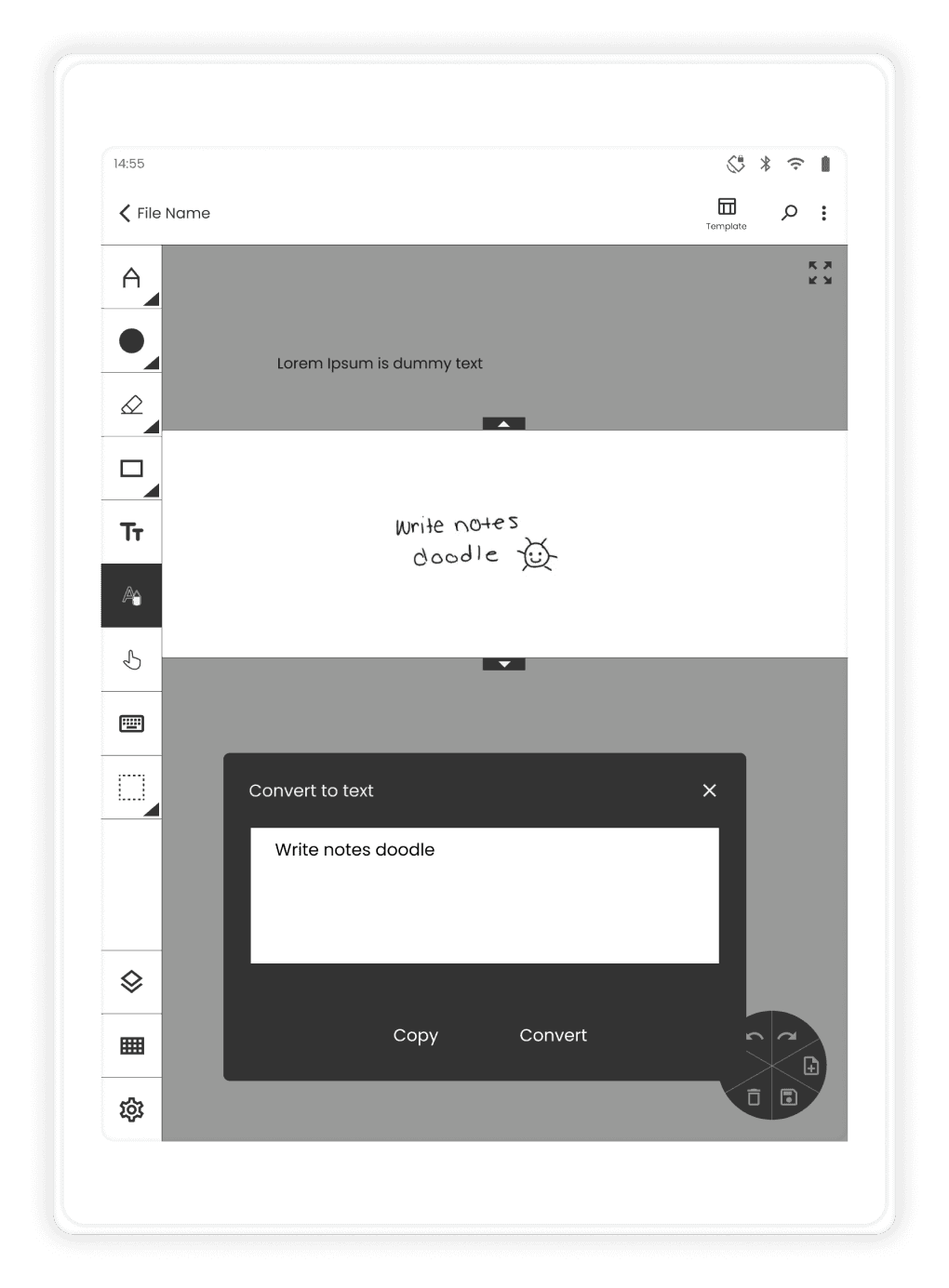
This app allows you to capture your thoughts freely – doodle, sketch, or scribble your notes. The intelligent text recognition engine will decipher your handwriting and convert it into editable digital text. You can then refine the text, format it with bold, italics, or bullet points, and organise your ideas effortlessly.
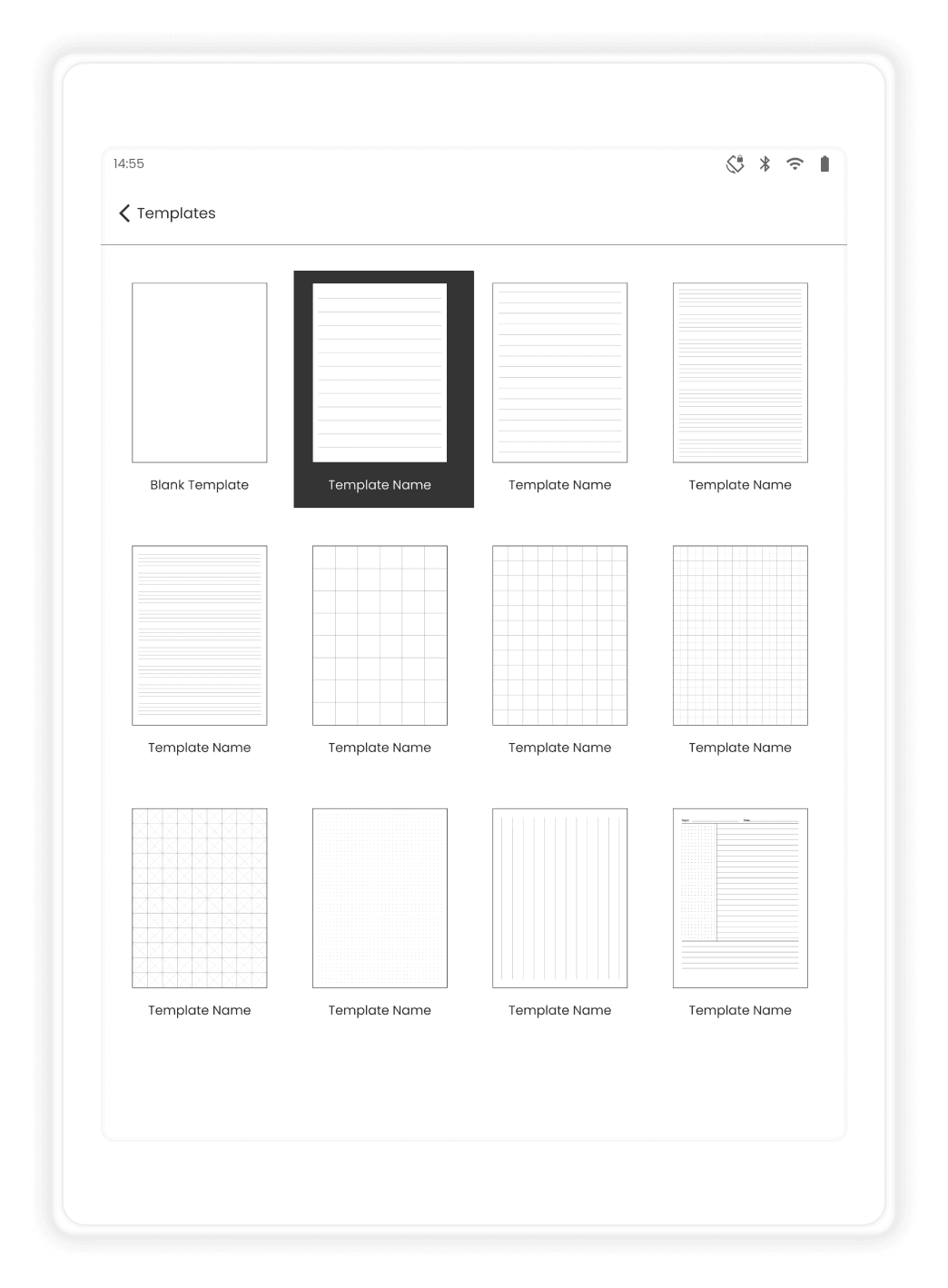
Don't start from scratch! This app offers a variety of pre-designed templates to guide your note-taking, doodling, or scribbling.
E-Note's Quick Notes feature offers a seamless and intuitive experience for capturing and organizing your thoughts. With its versatile tools, you can easily add text, shapes, and even convert handwritten notes into formatted text. For added depth and structure, you can create layers, scribble, and doodle to bring your ideas to life. Collaborate effortlessly by sharing your notes with others, and export your creations in various formats for easy access and presentation.
Other Screens